
Installing a casino APK on an Android device is usually straightforward, but sometimes things don’t go as planned. You may see an installation error, the app may refuse to open, or the download might fail altogether.
This guide explains the most common casino APK installation problems and provides practical solutions to help you get the app running. These troubleshooting tips apply to many Android devices, regardless of the specific casino app.
Note: Only download APK files from sources you trust. APK files from unknown or unverified websites may contain modified or malicious software.
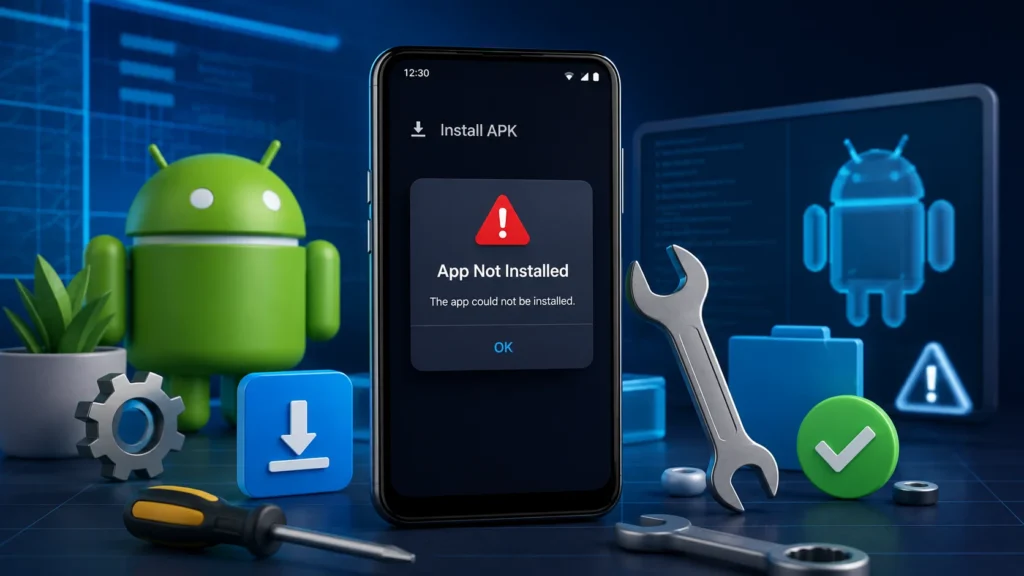
1. “App Not Installed” Error
One of the most common Android installation messages is “App Not Installed.”
Possible causes
- The APK file is corrupted.
- The downloaded file is incomplete.
- The APK version is incompatible with your Android device.
- An older version of the app is causing a conflict.
How to fix it
- Delete the APK and download it again from a trusted source.
- Make sure your Android version meets the app’s requirements.
- Uninstall any older version of the app before installing the new one.
- Restart your phone and try again.
2. Installation Blocked by Android
Android may block APK installations for security reasons.
How to fix it
- Open Settings.
- Go to Security or Privacy (the name varies by device).
- Allow your browser or file manager to install unknown apps.
- Return to the APK file and try installing again.
After installation, you can disable this permission if you no longer need it.
3. Parse Error
You may see a message such as:
“There was a problem parsing the package.”
Possible causes
- The APK download is incomplete.
- The APK is not compatible with your Android version.
- The file has been modified or damaged.
Solutions
- Download the APK again.
- Check that your device runs a supported Android version.
- Avoid modified or unofficial APK files.
4. Insufficient Storage Space
If your phone doesn’t have enough free storage, Android may stop the installation.
How to fix it
- Delete unused apps.
- Remove unnecessary downloads.
- Clear cached files.
- Move photos and videos to cloud storage or an SD card if supported.
Aim to keep at least 1–2 GB of free storage for smooth performance.
5. Download Keeps Failing
Sometimes the APK won’t download completely.
Possible reasons
- Slow or unstable internet connection.
- Interrupted download.
- Temporary server issue.
Fixes
- Switch between Wi-Fi and mobile data.
- Restart your internet connection.
- Retry the download after a few minutes.
- Ensure your device has enough storage available.
6. App Crashes Immediately After Installation
If the app installs but closes as soon as you open it:
Try these steps
- Restart your phone.
- Install the latest version of the APK.
- Clear the app cache and data.
- Update Android if an update is available.
- Reinstall the application.
7. APK Is Not Compatible with Your Device
Some casino apps only support newer Android versions or specific processor architectures.
What you can do
- Check the minimum Android version required.
- Update your phone if possible.
- Download the version designed for your device, if available.
8. Google Play Protect Warning
Google Play Protect may warn you before installing apps from outside the Play Store.
This doesn’t automatically mean the app is unsafe, but it is a reminder to verify the source before proceeding.
If you’re confident the APK comes from a reputable source, you can review the warning and decide whether to continue.
9. Login Problems After Installation
If installation succeeds but you can’t sign in:
Possible solutions
- Verify your username and password.
- Reset your password if necessary.
- Check your internet connection.
- Make sure you’re using the latest app version.
10. Slow Performance or Freezing
Older Android devices may struggle with newer app versions.
Improve performance by
- Closing background apps.
- Restart your device.
- Freeing up storage space.
- Updating the app.
- Keeping your Android software up to date.
Safety Tips Before Installing Any APK
To reduce the risk of installation issues:
- Download APKs only from trusted sources.
- Keep Android updated.
- Avoid modified or unofficial APK files.
- Scan downloaded files with reputable mobile security software if you have concerns.
- Maintain sufficient free storage on your device.
Final Thoughts
Most casino APK installation problems have straightforward solutions, whether they’re caused by storage limitations, Android security settings, or an incomplete download. By checking your device compatibility, using a reliable internet connection, and downloading APK files from trusted sources, you can avoid many common issues. Visit our website for more guides about the casino APK installation.
If a problem persists after trying these fixes, consider reinstalling the APK, updating your Android device, or contacting the app’s official support team for further assistance.
FAQs
Common reasons include a corrupted download, insufficient storage, an incompatible Android version, or installation permissions being disabled.
Yes. Android allows installation of APK files from other sources, provided you enable the appropriate installation permission for your browser or file manager.
APK files can be safe when obtained from trustworthy sources. However, downloading APKs from unknown websites increases the risk of malware or altered applications.
In some cases, yes. If Android reports an installation conflict or signature mismatch, uninstalling the older version before installing the latest release may resolve the issue.